

Table of Contents
The 12-Part Content Outline That Took One Site From Zero to 20,000 Monthly Visitors
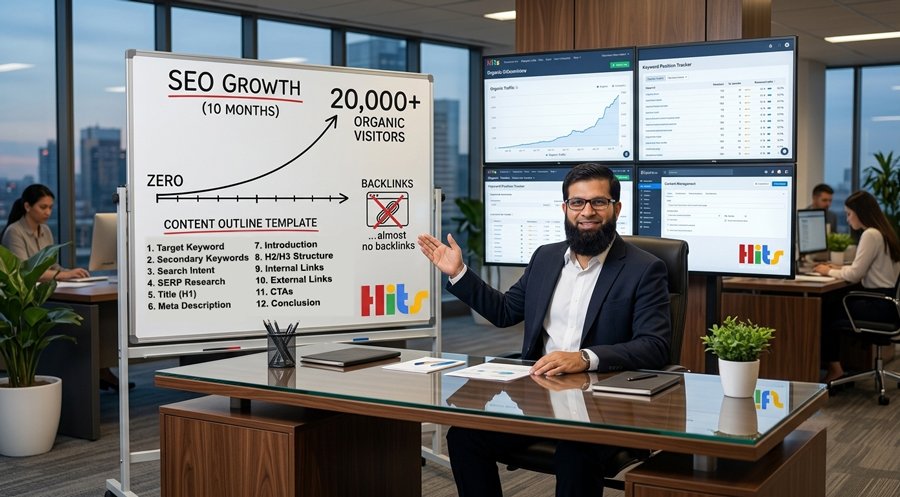
A new website hit 20,000 organic visitors, 1.6 million impressions, and 17,000 clicks in ten months, with almost no backlinks. The reason wasn’t luck. It was a 12-part outline used on every single article before a word was written. This piece breaks down that outline, compares it to how most teams write content, and shows you how to copy it step by step.
Why Most Content Plans Fail Before Writing Even Starts
Most teams skip the outline. They open a blank doc and start typing.
That’s the mistake.
Writing without a plan is like building a house without a blueprint. You might finish it. But it will be crooked, and it will take longer than it should.
The team behind this case study did the opposite. They built a repeatable outline first. Then writers filled in the outline. That’s why the results were consistent article after article, not just a one-time lucky post.
At webseowrite.pk, this is the same core idea taught to every new content strategist: the outline is the real work. Writing is just execution once the outline is locked.
What Makes This Outline Different From a Normal Content Brief
A lot of “content briefs” are just a keyword and a word count. That’s not a brief. That’s a guess.
The 12-part system below covers three things most briefs skip:
- Search intent: what the reader actually wants at that stage
- Competitor gaps: what the top 10 results missed
- Internal linking: how the article fits into the whole site
Here’s a quick side-by-side of a weak brief versus this outline.
| Weak Brief | 12-Part Outline |
|---|---|
| One keyword, no research | Primary + 3-5 secondary keywords from real search data |
| No intent check | TOFU/MOFU/BOFU intent defined upfront |
| No competitor review | Top 10 results studied for gaps |
| Random headers | Headers built from “People Also Ask” |
| No internal links planned | 3-5 internal links required |
| Vague CTA or none | One CTA tied to reader intent |
The difference isn’t fancy tools. It’s discipline.
Step 1: Pick One Target Keyword
Every article needs one main keyword. Not five. One.
This keyword should match what your ideal customer is actually typing into Google. Tools like Semrush or Ahrefs help find search volume and difficulty, but the real test is simpler: would your reader type this exact phrase?
Example: If you sell running shoes, “best running shoes for flat feet” is a real target. “Shoes” alone is too broad and too competitive.
Step 2: Add 3 to 5 Secondary Keywords
Once the main keyword is locked, look at related terms. Google’s “People Also Ask” box and the “related searches” at the bottom of the results page are free gold. They show you exactly what else your reader wants to know.
Weaving these in naturally tells Google the page covers the topic in depth, not just one narrow angle.
Step 3: Match the Content to Search Intent
Before writing, ask: what does this reader want right now?
- TOFU (Top of Funnel): They’re just learning. They want a guide or explainer.
- MOFU (Middle of Funnel): They’re comparing options. They want a comparison or list.
- BOFU (Bottom of Funnel): They’re ready to buy. They want reviews, pricing, or a direct pitch.
A fast way to check: Google the keyword and look at what’s already ranking. If the top results are all listicles, don’t write a single-product review. Match the format the reader, and Google, already expects.
Step 4: Study the Top 10 Results
Open the top 10 pages ranking for your keyword. Note:
- Their headline structure (H1, H2, H3)
- Word count
- Content format (list, guide, comparison)
- What they left out
That last point matters most. If nine out of ten articles skip a common question, that’s your opening. Answer it clearly, and you have a real reason to outrank them, not just a longer article.
Step 5: Write a Title That Earns the Click
Your H1 needs three things:
- The primary keyword
- Under 60 characters (so it doesn’t get cut off on mobile)
- A hook that makes someone want to click
A title that just describes the page (“SEO Outline Guide”) is weak. A title that promises a result (“The Outline That Took One Site to 20K Visitors”) earns the click.
Step 6: Write a Meta Description That Sells the Click
Meta descriptions should sit between 150 and 160 characters. Include the keyword and a clear reason to click.
Google sometimes rewrites your meta description anyway. But writing a strong one gives you the best odds it keeps yours. Think of it as a one-line ad for your article.
Step 7: Open With the Answer, Not a Warm-Up
Readers decide whether to keep scrolling within seconds. Don’t waste that time on background or history.
Answer their question in the first two or three sentences. Then explain what’s coming next in the article.
Weak opening: “In today’s fast-paced digital world, content marketing has become more important than ever before…”
Strong opening: “This outline took one site from zero to 20,000 visitors in ten months. Here’s exactly how it works.”
One gets skipped. One gets read.
Step 8: Build Headers From Real Questions
Your H2s and H3s shouldn’t come from guessing. They should come from your SERP research and the “People Also Ask” questions you collected in Step 2.
Each header should work as a mini-answer on its own. That’s not just good for readers, it’s also exactly how AI search tools and Google’s AI Overviews pull content to cite. Write your structure like you’re answering a list of real questions, one at a time.
Step 9: Link to 3 to 5 Other Pages on Your Site
Internal links do two jobs:
- They help readers find more useful content on your site.
- They tell Google how your pages relate to each other, building topical authority.
Use descriptive anchor text. “Click here” tells search engines nothing. “Learn how to build a content calendar” tells them exactly what the linked page covers.
And it works both ways, old pages should link forward to new ones, too. Every new post should connect to the web of content you already have.
Step 10: Link Out to Credible Sources
Link to real, trustworthy outside sources when you make a claim that needs backing. This builds trust with readers and supports what Google calls E-E-A-T, Experience, Expertise, Authoritativeness, and Trustworthiness.
One rule: never link to a direct competitor. Send that traffic to a study, a government source, or an industry report instead.
Step 11: Give Readers One Clear Next Step
Every article needs exactly one call to action. Not three competing buttons. One.
Match the CTA to where the reader is in their journey:
- A TOFU reader might get a CTA to download a free guide.
- A BOFU reader might get a CTA to book a call or start a free trial.
Place it where the reader has just gotten value, not before they’ve read anything.
Step 12: Close Without Adding New Ideas
Your conclusion should do two things in two or three sentences:
- Repeat the main takeaway.
- Point to the next step.
Don’t introduce a brand-new idea in the last paragraph. That’s the one moment you have the reader’s full attention, don’t waste it on something they can’t act on.
0 → 20K Organic Visitors
10 Months · Nearly Zero Backlinks
The 12-Part Outline
1. Target Keyword
One core keyword, no exceptions.
2. Secondary Keywords
3–5 related terms from “People Also Ask.”
3. Search Intent
Match TOFU, MOFU, or BOFU format.
4. SERP Research
Study the top 10 for gaps to fill.
5. Title (H1)
Keyword-rich, under 60 characters.
6. Meta Description
150–160 characters that earn the click.
7. Introduction
Answer the question in 2–3 lines.
8. H2/H3 Structure
Headers built from real reader questions.
9. Internal Links
3–5 links to your own money pages.
10. External Links
Cite credible sources, never a rival.
11. CTA
One clear action, placed at the right time.
12. Conclusion
Repeat the takeaway. No new ideas.
Putting the Whole Outline Together
Here’s the full 12-part outline in one place:
- Target keyword
- Secondary keywords
- Search intent (TOFU/MOFU/BOFU)
- SERP research
- Title (H1)
- Meta description
- Introduction
- H2/H3 structure
- Internal links
- External links
- CTA
- Conclusion
Nothing on this list is complicated on its own. The power comes from doing all twelve, every time, before writing starts. That consistency is what separates a lucky article from a repeatable growth engine, and it’s the exact process the team at webseowrite.pk runs for every client, on every piece of content, without exception.
Outline-First vs. Write-First: A Quick Comparison
| Approach | Time to First Draft | Consistency | Ranking Odds |
|---|---|---|---|
| Write-first (no outline) | Faster start | Low, depends on the writer’s mood | Unpredictable |
| Outline-first (12-part system) | Slightly slower start | High, same quality every time | Much stronger |
The outline-first method costs a little more time upfront. It pays that back many times over in fewer rewrites and more predictable rankings.
Frequently Asked Questions
Do I need expensive tools to do this?
No. A free Google search and the “People Also Ask” box cover Steps 2, 3, and 4. Paid tools like Semrush or Ahrefs speed up keyword research but aren’t required to start.
How many backlinks do I need for this to work?
The case study behind this outline used almost zero backlinks. The outline focuses on on-page structure and search intent, which matter even before link building starts.
Can I use this outline for every type of content?
Yes. Blog posts, guides, comparison pages, and landing pages can all follow this same 12-step structure. Just adjust the format in Step 3 to match the reader’s intent.
How long should each article be?
There’s no fixed number. Let Step 4 (SERP research) guide you. Match or slightly beat the depth of what’s already ranking, without padding.
What’s the single biggest mistake teams make?
Skipping the outline and starting to write immediately. Every other mistake on this list tends to follow from that first one.