

Table of Contents
Why Free Offline Desktop Utilities Are Changing the Game for Techies and Web Developers
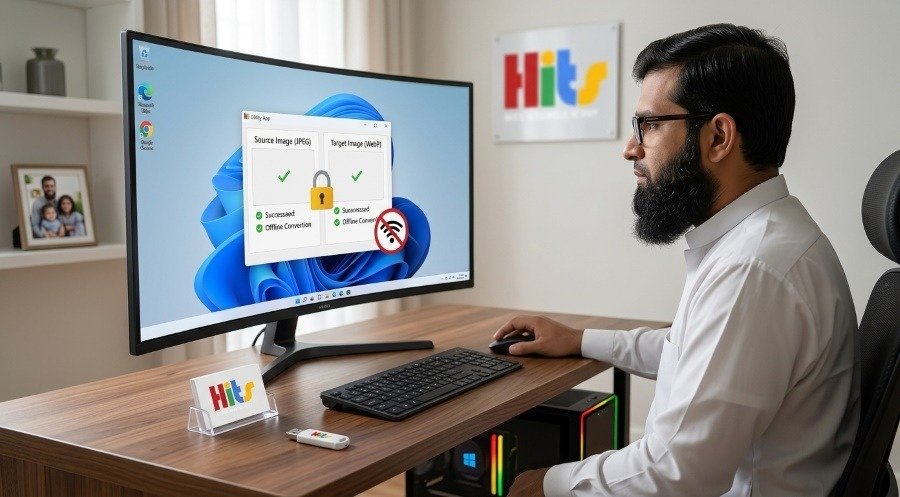
If you are tired of paying endless monthly fees for online software or worrying about uploading private files to cloud servers, there is a better way. webseowrite.pk offers a specialized collection of free, lightweight, and offline Windows desktop apps. Built for web designers, developers, and tech enthusiasts, these tools let you handle heavy daily tasks—like batch-converting images to WebP—directly on your own computer with 100% privacy and zero subscription traps.
The Hidden Costs of Online Web Tools
Every day, millions of people search the internet for quick utility tools. They need to shrink a picture, change a file format, or check code. Most people use random websites that pop up on Google. But these websites come with hidden risks.
- Subscription Walls: Many sites let you try a tool twice before asking for a credit card.
- Privacy Risks: You have to upload your personal pictures or business files to an unknown server.
- Internet Dependency: If your Wi-Fi goes down, your work stops completely.
- Annoying Ads: Free websites are often packed with flashing ads and pop-ups that slow down your browser.
Tech-savvy users, web designers, and developers need reliable utilities that work offline. They want software that respects their privacy and doesn’t charge money for simple tasks. That is why webseowrite.pk created a dedicated hub for free, standalone desktop apps.
Meet the First Tool: The Offline JPG & PNG to WebP Converter
Heavy images are the number one reason websites load slowly. Search engines like Google hate slow websites, and users leave them quickly. WebP is a modern image format created by Google that makes files much smaller without losing quality.
However, converting dozens of photos using online converters can take hours and leak your product images onto public servers. To fix this, webseowrite.pk developed a dedicated Windows .exe application: the JPG & PNG to WebP Converter.
Key Features of the Free WebP Converter
| Feature | What It Means For You |
| 100% Offline & Private | Your images stay on your hard drive. Nothing is ever uploaded to the cloud. |
| Batch Processing | Convert hundreds of heavy photos into modern WebP format all at once. |
| Adjustable Quality Sliders | Pick exact compression levels or choose lossless compression for crystal-clear graphics. |
| Transparency Support | Seamlessly keeps transparent backgrounds safe for PNG files and logos. |
Comparing Online Cloud Tools vs. Standalone Desktop Apps
To understand why offline desktop utilities are superior for daily professional tasks, look at the comparison table below:
| Feature | Typical Online Web Tools | webseowrite.pk Offline Apps |
| Internet Required? | Yes, mandatory. | No, works completely offline. |
| Data Privacy | Low (Files uploaded to third-party servers). | Maximum (Local processing only). |
| Cost | Free trial, then monthly subscriptions. | 100% Free standalone software. |
| Speed | Slowed down by upload/download queues. | Instant local hardware speed. |
| Annoyances | Pop-up ads and login requirements. | Clean, distraction-free app experience. |
What Else Is Coming to the Suite?
The team at webseowrite.pk is not stopping at just one tool. The roadmap includes upcoming utilities designed to make life easier for web creators:
- Bulk Image Watermarker: Stamp your brand logo across entire product photo galleries instantly with custom positioning rules.
- SEO Alt-Text Auditor: Scan your local project folders to find and list missing meta tags and image alt attributes.
- Local Backup Archiver: Package sensitive working directories and project files into timestamped
.ziparchives with a single click.
Free Offline Desktop Tools Suite
100% Offline & Private
Files stay on your local drive. Zero cloud uploads.
Local Hardware Speed
Instant batch processing powered by your CPU.
Zero Subscriptions
100% Free standalone tools without trial paywalls.
WebP Converter App
Batch convert JPG & PNG images with full transparency.
Online Converters vs. webseowrite.pk Local Apps
Typical Online Tools
- ❌ Requires active Wi-Fi
- ❌ Uploads files to unknown servers
- ❌ Monthly subscription limits
- ❌ Slow upload/download queues
webseowrite.pk Apps
- ✅ Works 100% offline
- ✅ Complete local data privacy
- ✅ Unlimited free usage forever
- ✅ Ultra-fast local execution
Upcoming Desktop Utilities
Frequently Asked Questions (FAQ)
Are these tools really free?
Yes! Every utility on the page is completely free to download and use without any hidden costs or trials.
Do I need to install complicated software?
No. These are portable standalone Windows applications. You just download the file and run it directly.
Are my files safe from hackers?
Because the apps run entirely offline on your own computer, your files never travel across the internet, keeping them completely safe.
Conclusion
Stop wasting money on monthly software subscriptions and stop risking your privacy on sketchy websites. Head over to webseowrite.pk to download fast, secure, and free desktop utilities that put you back in control of your workflow.
👉 Tired of Repetitive Manual Tasks Holding Your Business Back? Every small business has that one slow, frustrating daily process—whether it’s preparing files, organizing product photos, or tracking records manually. Why waste hours on work a smart tool can do in seconds? At webseowrite.pk, we create fast, easy-to-use custom desktop apps designed to make your daily operations effortless.
📲 Ready to save time and boost productivity? Chat with us on WhatsApp right now, and let’s build a solution made just for you!