

Table of Contents
Mastering Your Windows PC Workflow: The Complete Guide to Offline Productivity Utilities
If you are tired of monthly software subscription fees, sluggish cloud web apps, and worrying about whether your private business files are safe on remote servers, there is a better way. By utilizing standalone, 100% offline desktop utilities built for Windows, you can process images, clean e-commerce spreadsheets, convert formats, calculate shipping weights, and search thousands of local documents in milliseconds. This guide explores the complete ecosystem of professional offline tools crafted by webseowrite.pk, explaining what they do, how they work, and why they save you time, money, and data privacy headaches.
Why Offline Desktop Software Beats Cloud SaaS Subscriptions
In today’s digital world, nearly every software tool pushes you toward a recurring monthly subscription. Whether it is a cloud file converter, an online PDF merger, or an AI document search platform, companies want you to pay month after month. Worse yet, using online tools means uploading your sensitive business invoices, customer spreadsheets, and proprietary product photos to third-party web servers.
Offline desktop software—specifically lightweight, standalone .exe programs running directly on your Windows PC—changes everything.
- Complete Data Privacy: Your files never leave your computer hard drive. There is zero risk of data leaks or cloud server hacks.
- Zero Recurring Fees: You download the tool once, and it belongs to you forever with no hidden subscription costs.
- Instant Execution: Without waiting for files to upload and download over an internet browser connection, local apps process tasks instantly using your computer’s own processing power.
At webseowrite.pk, the focus is entirely on building free, high-utility offline Windows applications that solve real-world logistical, SEO, and document management problems.
The Complete Suite: What Tools Have We Built So Far?
Over recent milestones, a robust library of specialized Windows utilities has been engineered to eliminate repetitive daily computer tasks. Let’s break down each app, its core functionality, and how it helps you work smarter.
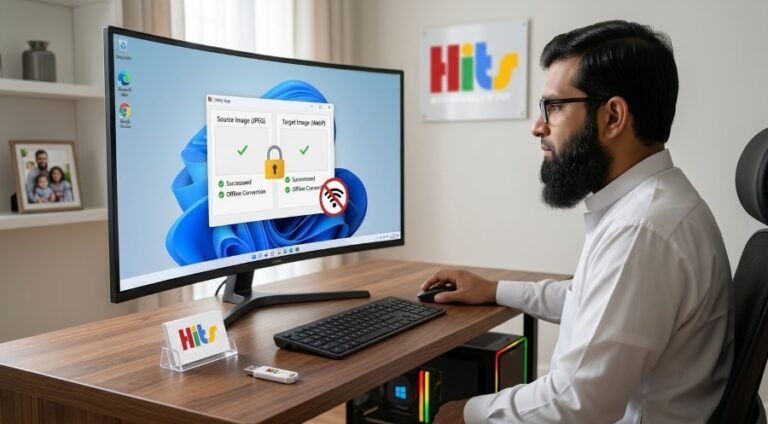
1. JPG & PNG to WebP Converter (.exe)
- What it does: Converts heavy raster images into next-generation WebP formats in bulk.
- How it helps: WebP images are significantly smaller in file size than traditional JPEGs or PNGs without losing visual quality. Converting your website media speeds up page loading times and boosts search engine rankings.
2. Bulk Image Watermarker & Resizer (.exe)
- What it does: Stamps custom text or transparent brand logos onto hundreds of product photos simultaneously while resizing them to uniform dimensions.
- How it helps: Protects your e-commerce product photography from theft while ensuring every image fits your online store layout perfectly.
3. SEO Alt-Text & Meta Auditor (.exe)
- What it does: Scans local website HTML folders or image directories to audit missing alt-tags, empty meta descriptions, and improper title structures.
- How it helps: Keeps your website fully optimized for search engines without requiring expensive, bloated SEO audit subscriptions.
4. Local Backup Archiver (.exe)
- What it does: Compresses and packages sensitive project directories into secure, timestamped backup archives locally on your storage drives.
- How it helps: Protects your hard work against accidental deletion or hardware failure without needing online cloud storage quotas.
5. B2B Price & Margin Calculator (.exe)
- What it does: Instantly calculates accurate wholesale selling prices, markup percentages, and target gross margins.
- How it helps: Eliminates costly pricing math errors when preparing export quotations and B2B client contracts.
6. Image Aspect Ratio & Canvas Padder (.exe)
- What it does: Automatically adds intelligent solid color or blurred background padding to product photos to force uniform aspect ratios (like 1:1 square) without cropping out important edges.
- How it helps: Keeps online storefront product grids looking clean and professional without distorting your merchandise.
7. Freight & Shipping Volumetric Weight Calculator (.exe)
- What it does: Calculates dimensional volumetric weight (L x W x H / divisor) and Cubic Meters (CBM) for international cargo boxes, comparing them against actual weight to determine chargeable weight.
- How it helps: Prevents surprise surcharge billing from air and sea freight forwarders when exporting wholesale goods.
8. Screen Region Crop & Sensitive Data Blur Utility (.exe)
- What it does: Captures custom screen snippets and lets you brush-blur passwords, financial figures, or confidential text locally.
- How it helps: Allows you to create clean customer support tickets, documentation, and tutorials without leaking private information.
9. Offline Local AI Document, PDF & Image OCR Search Engine (.exe)
- What it does: Scans local folders containing PDFs, Word documents, text files, and images, using built-in Tesseract OCR and vector space matching to perform instant natural language semantic searches. Features Smart Incremental Caching to ensure future folder queries load in milliseconds by tracking file modification timestamps.
- How it helps: Enables lightning-fast searching across all your proprietary business files and scanned images 100% offline, keeping sensitive corporate data strictly confidential.
Offline Windows Productivity Suite
🔒 100% Private • 💸 Zero Subscriptions • ⚡ Instant Execution
🎨 Media & Web
- ⚡ Bulk WebP Converters
- 🖼️ Watermark & Resizer
- 📐 Canvas Ratio Padder
📦 Logistics
- ⚖️ Volumetric Cargo (CBM)
- 💵 B2B Wholesale Pricing
- 🧵 Cut & Sew Estimator
🔒 Security
- ✂️ Screen Region Snip
- 🛡️ Sensitive Data Blur
- 💾 Local Backup Archiver
🤖 AI Search
- 👁️ Offline Tesseract OCR
- ⚡ Smart Caching (.pkl)
- 🔍 Sub-Second Semantic
✨ Take Complete Control of Your Workflow Today!
Download our complete suite of free, self-hosted offline Windows tools from webseowrite.pk.
📥 Explore & Download Free Utilities NowComparing Traditional Cloud Tools vs. HITS Web SEO Write Desktop Utilities
To understand why professionals are switching to offline desktop apps, look at how they compare across key operational areas:
| Feature / Metric | Traditional Cloud SaaS Apps | HITS Web SEO Write (.exe Utilities) |
| Internet Requirement | Always required (fails if offline) | 100% Offline (works anywhere) |
| Data Privacy | Files uploaded to third-party servers | Files stay securely on your local PC |
| Cost Structure | Monthly or annual recurring fees | Free, permanent standalone tools |
| Processing Speed | Dependent on upload/download bandwidth | Instant local hardware execution |
| File Size Limits | Often restricted by web server caps | Unlimited (limited only by your PC memory) |
Frequently Asked Questions (FAQ)
Do I need an internet connection to run these apps?
No. Every application in the software suite is engineered to run entirely offline on Windows 64-bit workstations without requiring an active internet connection.
Are my files safe from being uploaded online?
Yes. Because these tools are standalone .exe programs executing locally on your hardware, your documents, images, and spreadsheets never touch an external server.
Do I need to install programming software like Python to use them?
Not at all. Every utility is compiled into a standalone executable file. You simply double-click the .exe and start working immediately.
How does the Smart Caching Search Engine save time?
When you index a folder for the first time, the search engine saves a local cache file. On future runs, it automatically detects file modification timestamps and only scans newly added or edited files, allowing the directory to load in less than a second.
Conclusion
Building a streamlined, efficient workflow on your PC doesn’t mean you have to surrender your privacy or pay endless subscription fees. By equipping your workstation with professional offline desktop utilities, you take full control of your files, your data, and your daily productivity. Visit webseowrite.pk to explore and download these free tools to transform your administrative and technical workflows today.
Transform Your Business Operations with Custom App Development
Off-the-shelf software rarely fits the exact demands of manufacturing, warehousing, and custom apparel production. Whether you need an offline desktop utility, a cloud-connected client portal, or a hybrid enterprise system, webseowrite.pk delivers robust, custom-tailored applications that fit your budget. Say goodbye to restrictive SaaS fees and hello to software built exclusively for your business goals.
👉 Contact our development team today for a free project consultation!